


Hidden Pictures Puzzle Play
3.2187.00 Reviews
App Specs
- Version
- 1.8.7
- Updated On
- License
- Free
- Downloads
- 100,000+
- Developer
- Highlights for Children, Inc.
- Categories
- Educational
- Platform
- Android
Screenshots
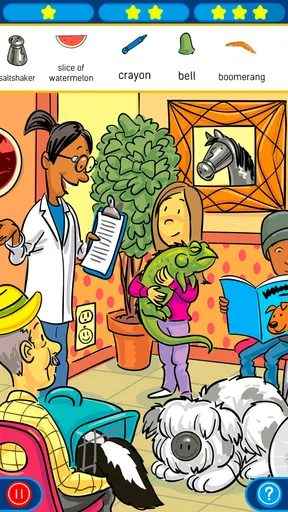
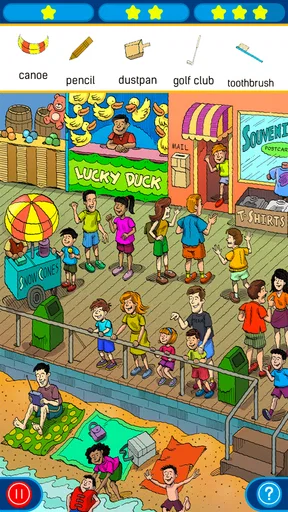
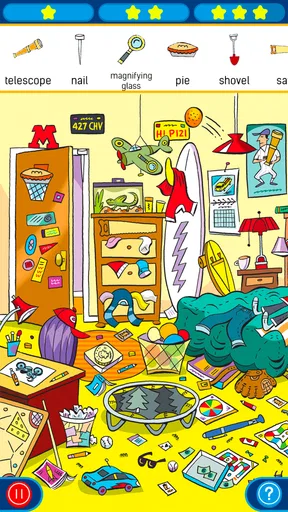
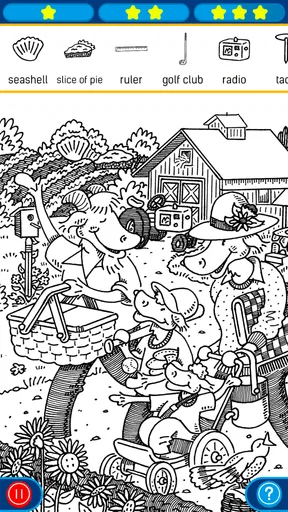
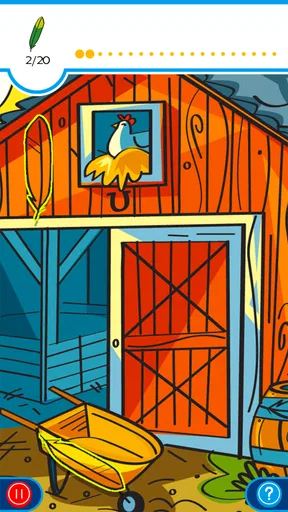
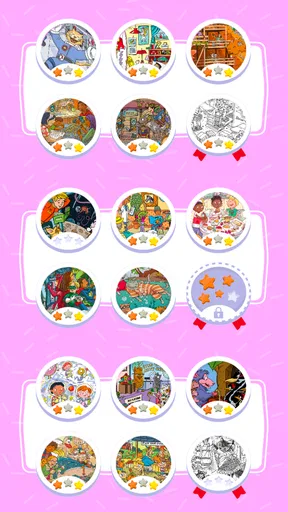
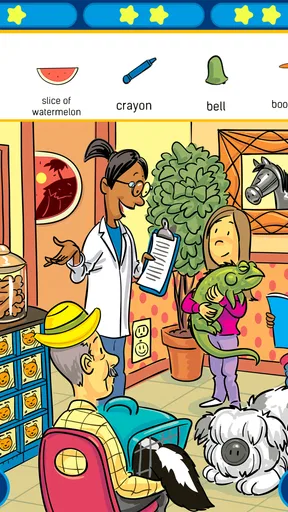
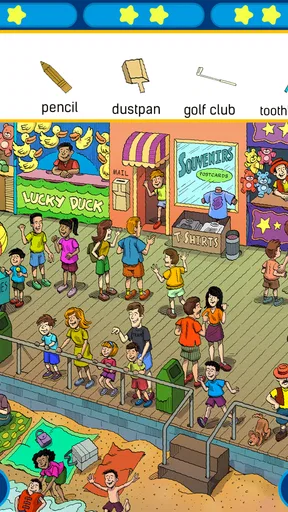
 Analysis by AppCompare
I judge a hidden-picture game by a few practical things: whether the images invite a closer look, whether a child can make progress without constant adult help, and whether it works as a calm activity rather than another stream of noisy distractions. Hidden Pictures Puzzle Play is an educational game from Highlights for Children, Inc. built around finding objects in illustrated scenes. Its appeal is easy to understand, but its modest average rating of 3.1 from 449 ratings also suggests that it will not suit every family equally well.
Choosing a hidden-picture game for your routine
Before installing it, I’d think about when you expect to use it. This kind of puzzle is at its best in short stretches: a few minutes while waiting for an appointment, a quiet break after school, or a shared activity when an adult has time to look along. It asks children to scan a busy picture carefully, compare the object they are seeking with what appears in the scene, and keep trying when the first glance misses something. That slower rhythm is a real contrast with games built around quick reactions.
The game is free to download, is rated Everyone, and runs on Android 6.0 or later. In-app purchases range from $3.99 to $29.99 per item, so I would treat the free starting point as a chance to see whether the style clicks before spending anything. The current version is 1.8.6. It has more than 50,000 installs, which gives it a visible audience, though popularity alone does not tell me whether a particular child will enjoy its puzzles.
What the search activity does well
The main pleasure is the close looking. A child can sweep across a scene, notice a shape that seems out of place, and then check whether it matches the target. That makes the game easy to share: one person can search the left side while another looks near the bottom, then they can compare discoveries. I find that a more useful way to play together than simply handing over a device and asking a child to finish a level alone.
There is also a small but worthwhile skill-building angle. Hidden-object puzzles encourage visual scanning, patience, and attention to detail; they do not need a complicated tutorial to make those habits part of play. I would not treat the game as a substitute for lessons or claim that it guarantees learning gains. Its educational value is more everyday than formal: children get practice sticking with a visual task and explaining what they have noticed.
For younger players, an adult can turn a puzzle into a gentle conversation rather than a race. Ask what the object looks like, where it might reasonably belong, or which part of the picture has not been checked yet. That approach helps a child build a search strategy instead of tapping randomly. It also gives parents a way to adjust the difficulty through their own prompts, without needing to take over the screen.
When another kind of game may be better
If a child wants fast movement, direct competition, or a strong sense of progression, a hidden-picture game may feel too quiet. A conventional arcade or action game is a better fit for energetic play, while a drawing or construction app gives children more room to make something of their own. Those alternatives serve different moods; I would choose this one specifically when the goal is observation and a calmer pace.
Worth Reading Before You Choose

EA SPORTS FC Mobile 26 Is a Bigger Football Game, but It Takes Time

Flipboard Shows What News Apps Must Do Beyond the Feed

Switching to Android Auto Means Rethinking Your Driving Routine

Google Calendar Makes a Crowded Week Easier to Manage

Ludo King Makes the Most of the Minutes Between Plans

Baby Panda World Brings Quick Play to Modern Phones, but Its Game Library Feels Busy
Compared with printed puzzle books, the app has the convenience of a screen and can be easier to use while travelling, but paper has its own advantage: no device to share, charge, or hand back. A printed page can also make it easier for two children to point at different parts of the same image at once. If screen time is already a concern in your household, a book may be the more comfortable option, even if the digital format is handy for occasional waits.
One practical way to decide is to watch how a child responds to the first few searches. Do they study the scene and enjoy finding an object, or do they quickly ask for a different activity? If they like visual puzzles but become frustrated when an item is hard to spot, sit with them and model a systematic scan: check one section at a time, then move on. That can make the activity more satisfying without turning the adult into the person who solves everything.
Making the first session useful
For a realistic test, I would try it during a low-pressure moment at home rather than relying on it as an emergency distraction on a long outing. Sit together for one short session, let the child choose where to look first, and notice whether the illustrations hold their attention. If the child wants to keep searching, the game may earn a place in your routine. If they need repeated encouragement, that is a useful sign that a different activity might be a better match.
It can also work as a shared waiting-room activity, provided the child is comfortable using a phone or tablet and you are happy to supervise. I would agree on a stopping point beforehand: finish the current search, then put the device away. This keeps a quiet puzzle from becoming an open-ended request for more screen time. For a car journey, the same idea applies when a passenger can supervise; the driver should not be involved in looking at the screen.
Another small tactic is to alternate turns rather than letting the quickest person dominate. One player can name an object to find, and the other can describe the area they are checking. That keeps a younger child involved even if an older sibling spots things faster. It is not a special in-game mode; it is simply a way to make the activity more social and to reduce the pressure to finish quickly.
What to consider before paying
The purchase range is broad enough that I would avoid buying anything until I had checked how the free experience feels for my household. A child’s enthusiasm during one session is not always the same as a lasting interest, and parents may have different limits for digital spending. I would look at the purchase options in the app with the child’s likely play habits in mind, and make sure the adult handling the device is comfortable with any transaction before proceeding.
Another trade-off is that a screen-based puzzle can be less flexible than a physical book when several people want to join in. On the other hand, the portable format can be convenient when packing a book is one more thing to remember. The right choice depends less on which format is universally better and more on whether your family wants an occasional digital activity or a reusable paper pastime.
The rating deserves a measured reading. A 3.1 average across 449 ratings is mixed rather than an automatic endorsement, while 186 written reviews indicate that some players have taken time to share more detailed reactions. I would use that as a reason to test the game personally, not as proof that it is either poor or perfect. Children vary widely in how much they enjoy searching detailed illustrations, and a parent’s preferred pace may differ from a child’s.
Who is most likely to enjoy it
I would recommend giving it a try if your child already likes picture books, visual riddles, or finding small details in a busy scene. It is also a reasonable option for a parent who wants to join in rather than supervise a game with complicated controls. The Everyone age rating makes its intended audience broad, but the best age in practice depends on attention span, comfort with touchscreens, and whether the child enjoys looking carefully.
I would skip it if you are specifically searching for a deep curriculum, an open-ended creative tool, or a game designed around rapid rewards and competition. It is also not an ideal solution if you need a screen-free activity, or if your child becomes upset when they cannot find an object quickly. In those cases, a printed puzzle, a collaborative drawing activity, or a more active game may fit better.
My strongest advice is to treat the first session as a compatibility check, not a promise that the app will become a daily favorite. See whether the child naturally slows down and searches, whether you enjoy joining in, and whether the available purchase choices make sense for your budget. If those points line up, the game has a clear role as a compact, quiet activity; if not, there is little reason to force it.
Returning to the puzzle experience
Setting up Hidden Pictures Puzzle Play is a breeze. Available on both Android and iOS, downloading it from the app store is straightforward. Once installed, I was greeted by a vibrant and user-friendly interface. The colors are bright and inviting, making it perfect for kids and adults alike.
The app offers a free trial, which is a great way to dip your toes into the waters before committing to a subscription. It’s worth noting that while the free version is fun, the real magic happens once you unlock the full library of puzzles.
The Puzzle Experience
As soon as I started my first puzzle, I was hooked. The app offers a mix of both classic and new puzzles, ensuring that there’s always something fresh to tackle. Each puzzle is beautifully illustrated, with intricate details that make the hunt a lot of fun.
One thing I absolutely loved was the variety. There are puzzles of different difficulty levels, so whether you’re a novice or a seasoned pro, there’s something for you. The app also updates regularly, adding new puzzles to keep things exciting.
Features That Stand Out
What really sets this app apart are the interactive features. Here are a few that I found particularly engaging:
- Zoom Functionality: The ability to zoom in on images is a lifesaver, especially for those tiny hidden objects.
- Hints System: If you ever find yourself stuck, the hint system is there to gently nudge you in the right direction without giving too much away.
- Achievements and Rewards: Completing puzzles earns you stars and rewards, adding a layer of motivation to keep going.
- Offline Mode: Perfect for when you’re on the go, this mode lets you enjoy puzzles without needing an internet connection.
These features not only enhance the gameplay but also make it accessible for a wide range of users, from kids to adults.
Educational Benefits
While the app is primarily a source of entertainment, it also offers educational value. It helps improve concentration and attention to detail, skills that are beneficial for all ages. For kids, it’s a fun way to develop cognitive abilities while enjoying colorful and engaging content.
My Final Thoughts
Overall, my experience with Hidden Pictures Puzzle Play was incredibly enjoyable. It’s a well-designed app that brings classic puzzles into the digital age while maintaining their charm. Whether you're looking to unwind after a long day or keep the kids entertained during a road trip, this app is a fantastic choice.
In a world filled with fast-paced games, Hidden Pictures Puzzle Play offers a refreshing change of pace. It encourages users to slow down, focus, and enjoy the art of solving puzzles. If you haven’t tried it yet, I highly recommend giving it a go. Who knows, you might just find yourself lost in the joy of hidden picture hunting!
Pros
- Engaging puzzles keep users entertained.
- Variety of themes for diverse interests.
- Easy interface for all age groups.
- Regular updates with new content.
- Boosts cognitive and observational skills.
Cons
- Requires in-app purchases for full access.
- Ads can be intrusive during gameplay.
- Limited free puzzles available.
- No offline mode for on-the-go play.
- High storage usage on devices.
FAQs for Hidden Pictures Puzzle Play
What is Hidden Pictures Puzzle Play?
Hidden Pictures Puzzle Play is an engaging app that challenges users to find hidden objects within beautifully illustrated scenes. Designed for both kids and adults, it enhances observation skills and provides a fun, relaxing experience. With hundreds of puzzles and varying difficulty levels, it keeps players entertained and mentally stimulated.
Is Hidden Pictures Puzzle Play free to download and use?
The app is free to download, offering a selection of puzzles at no cost. However, it features in-app purchases for unlocking premium content, additional puzzle packs, and ad-free experiences. This allows users to customize their experience according to their preferences and budget, while still enjoying the core features for free.
What age group is Hidden Pictures Puzzle Play suitable for?
Hidden Pictures Puzzle Play is suitable for ages 6 and up. The app is designed to be family-friendly, with puzzles that cater to both children and adults. Its varying difficulty levels ensure that it can be enjoyed by younger users while still providing a challenge for older players, making it a great tool for family fun.
Does Hidden Pictures Puzzle Play require an internet connection?
While an internet connection is required for downloading the app and accessing some features, such as additional puzzle packs and updates, many puzzles can be played offline. This makes it convenient for users to enjoy the game on the go, without worrying about connectivity issues.
How does Hidden Pictures Puzzle Play keep the content fresh and engaging?
The app frequently updates with new puzzles and themed events to keep the content fresh and engaging. Seasonal updates and special challenges provide additional motivation for users to return regularly. Additionally, user feedback is often incorporated into updates, ensuring the app evolves to meet players’ interests and preferences.


